¶ MOPA Color Laser Engraving
*em-smart Dual 2 / em-smart MOPA Color Marking Parameter Guide
Metal color engraving technology can achieve multiple color effects on specific materials. When using the em-smart Dual 2 / em-smart MOPA for color engraving, you can perform vector-filled images and bitmap-based color engraving.
Note: The processing files and effect examples provided in this tutorial are mainly based on color engraving on 304 stainless steel using a MOPA infrared laser. You can also refer to this method to explore color marking applications on other metals such as brass and titanium.
¶ Metal Color Engraving Settings
Mechanism of Color Formation on Stainless Steel:
- Oxidation coloring: Under laser action, metal elements in stainless steel form colored oxide products.
- Transparent oxide film (thin-film interference): Under laser action, a transparent oxide film forms, and colors appear due to thin-film interference of light.
¶ Key Findings and Recommendations:
Through testing, it has been found that due to the influence of thin-film interference, color engraving is extremely sensitive to slight changes in energy, focus, frequency, material, and environment. Reproducibility may be low for some materials, and the learning curve can be relatively high. It is recommended to first use a material test matrix to establish and save a “color–parameter” palette, and to perform small array verification and color confirmation whenever materials are changed or environmental conditions vary.
Reference video link: https://youtu.be/Us4smp869EA
¶ Preparation Before Starting Metal Color Engraving
The results of metal color engraving may be affected by multiple factors such as laser power, material type, environmental humidity, and temperature fluctuations.
Therefore, it is recommended to first use a material test matrix to test the material and identify the desired colors. Record and save the corresponding settings to ensure high-quality engraving results and consistent color output.
¶ Testing Color Engraving Through Parameter Arrays

Download the 304 stainless steel material test matrix file and open it in LightBurn (download the corresponding file based on your machine model).
Use 304 stainless steel (SUS304) for processing. After focusing, perform the necessary machine settings in LightBurn.
Note: To ensure optimal results, please place the object to be engraved within the 60×60 area at the center of the base plate.
¶ Processing Result Evaluation
After processing, evaluate the results and follow the steps below:
-
If you are satisfied with the color result in a specific grid, record the parameter settings for that group, including processing speed and power.
-
If you want to improve the color, identify the target color and its corresponding processing speed and power, then generate a bidirectional gradient test array by adjusting pulse width (in increments of 1 ns) and frequency (in increments of 50 kHz).
¶ How to Quickly Set a Single Color Engraving Parameter?
- Based on the results from the previous steps, create a material test matrix.
Array specifications:
- Minimum single matrix size: 5 mm × 5 mm
- Recommended maximum rows and columns: ≤ 15, recommended 10
- Row/column spacing: auto-generated
- XY center: adjust according to working area, for example, for a 200 mm working area, the XY center is 100,100
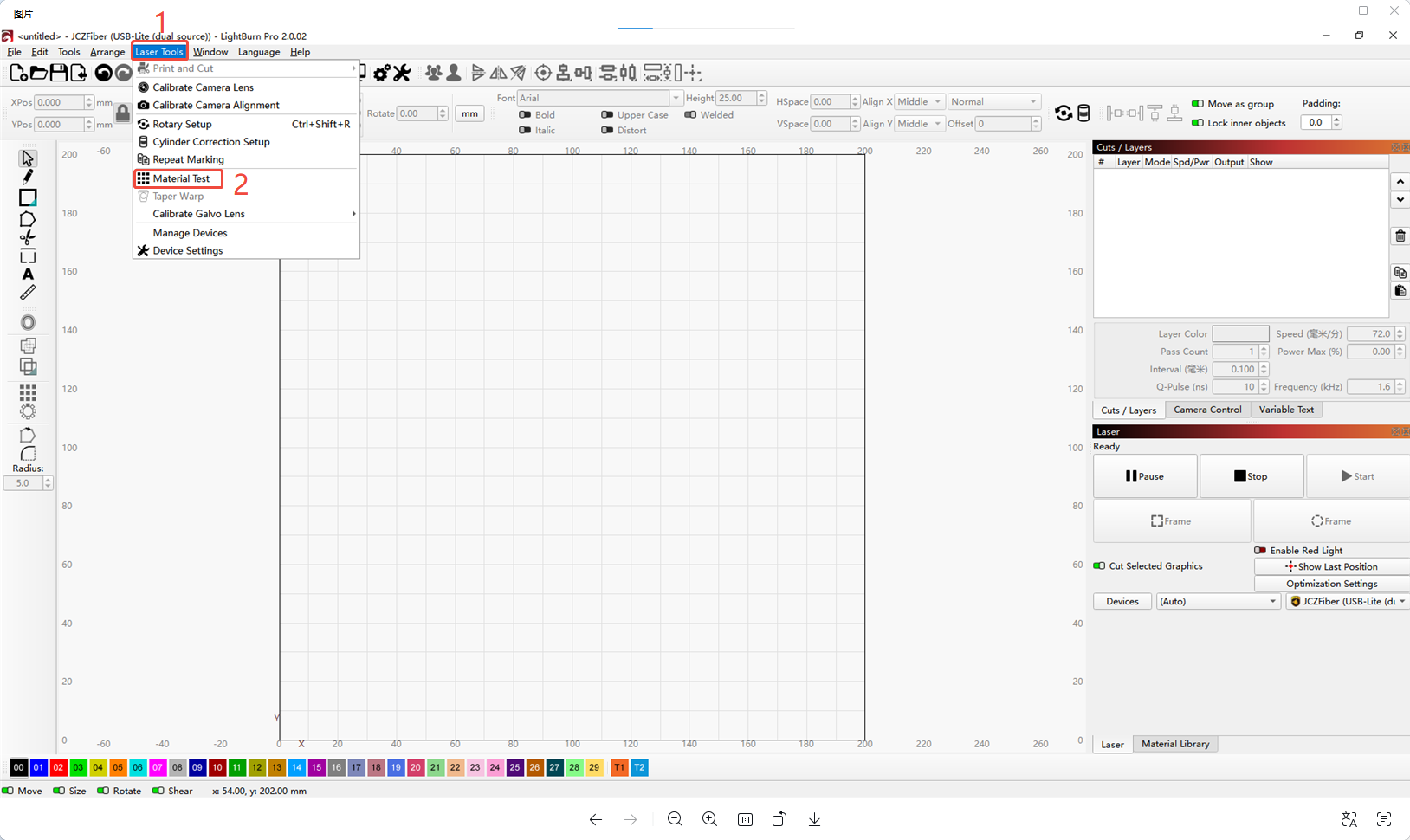
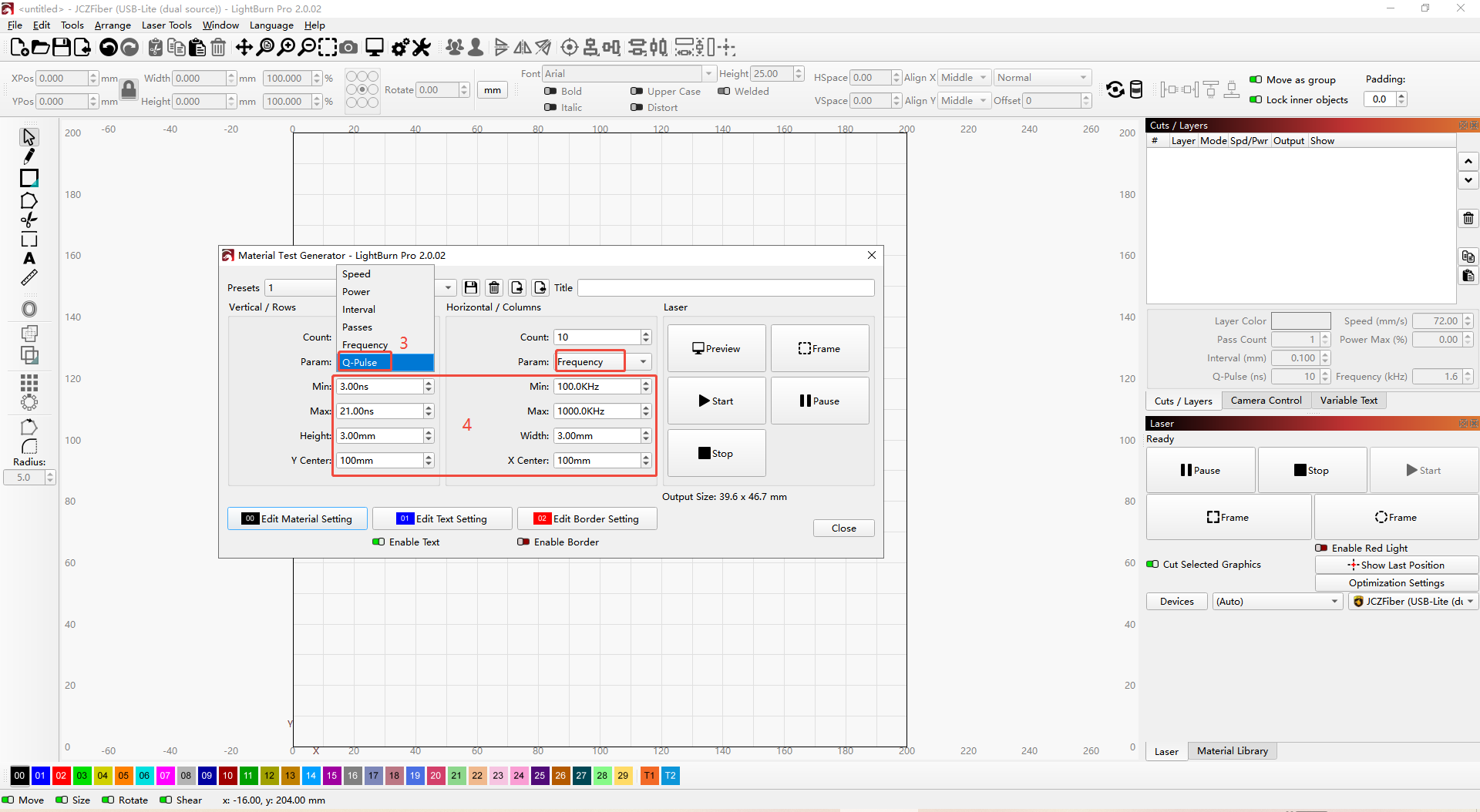
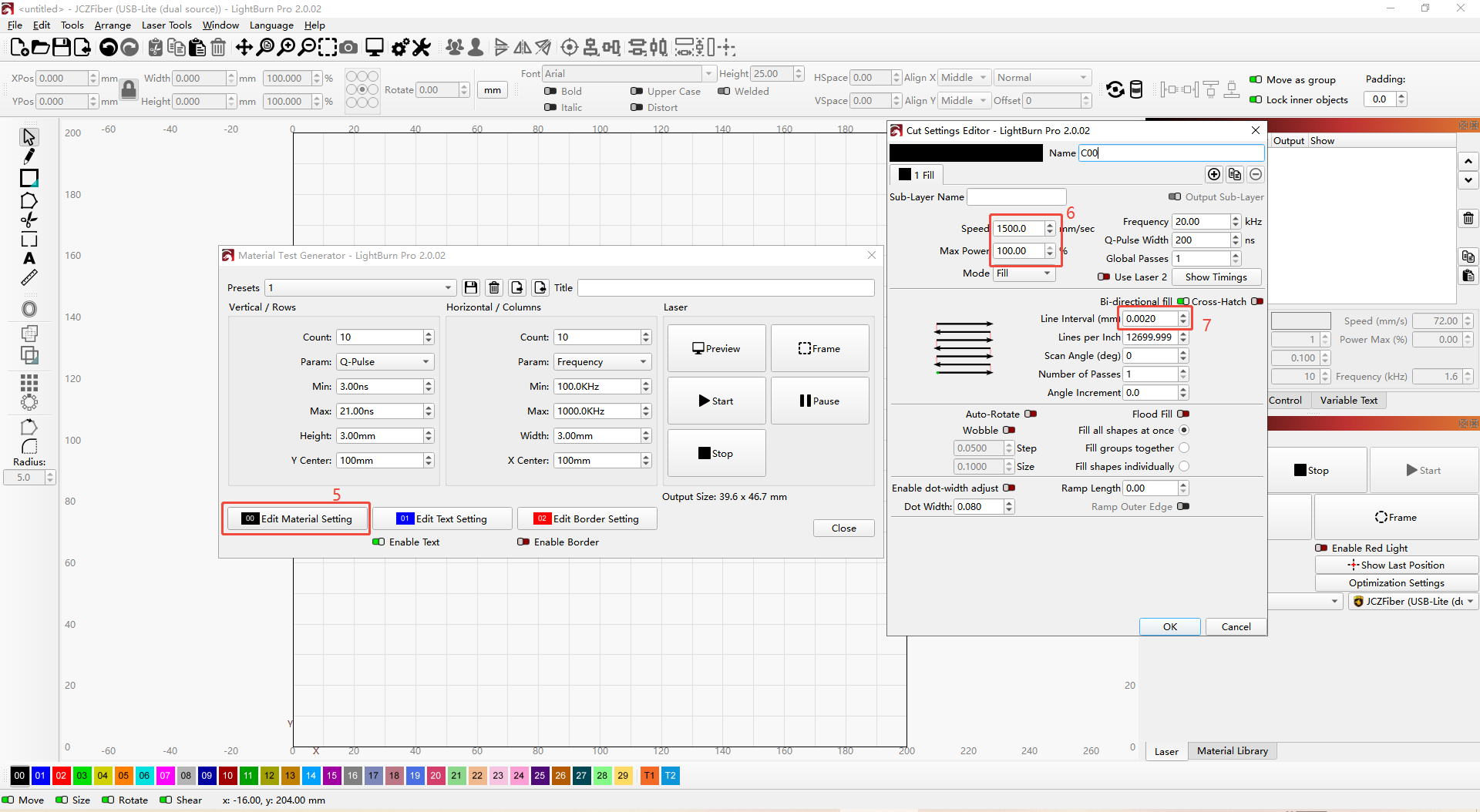
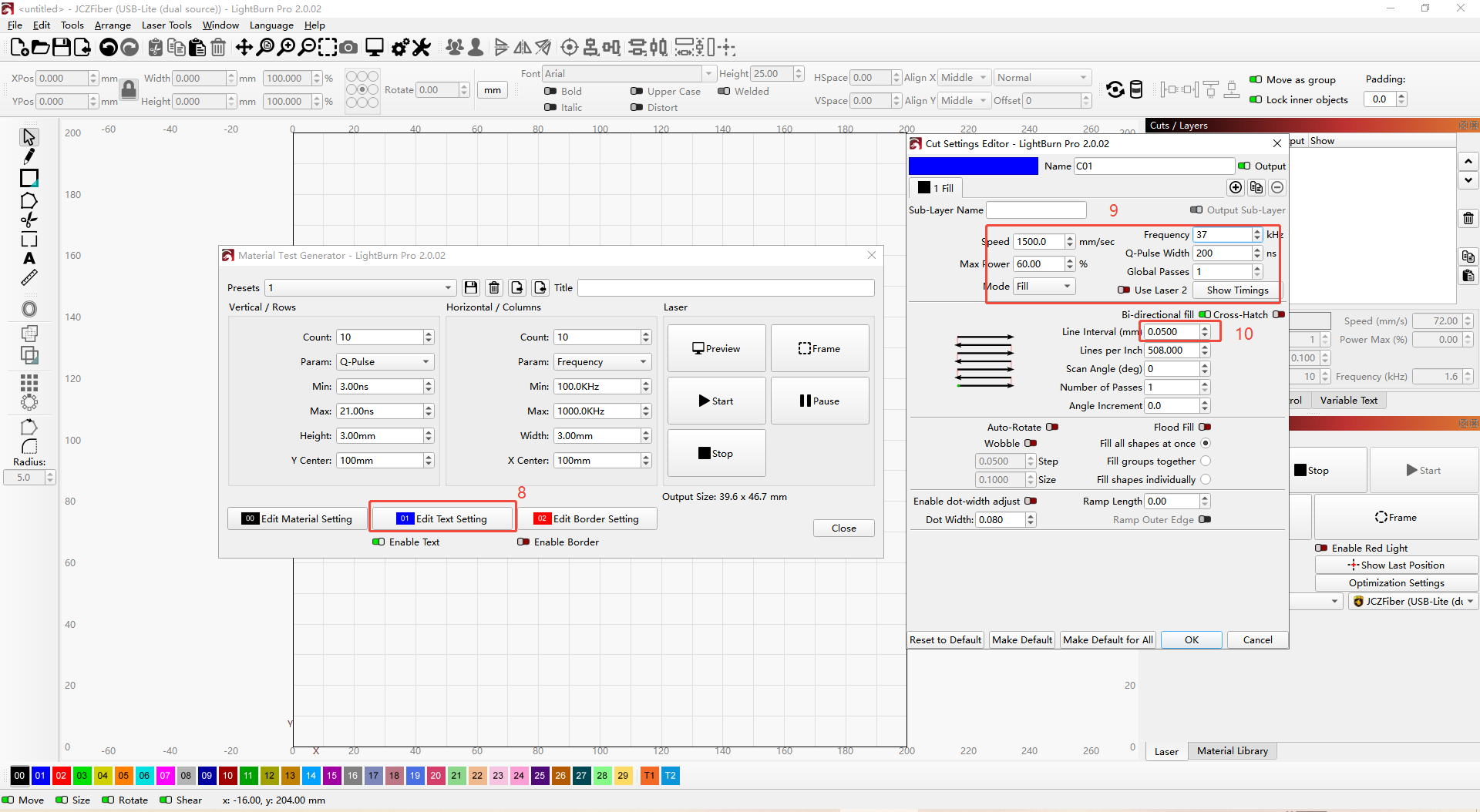
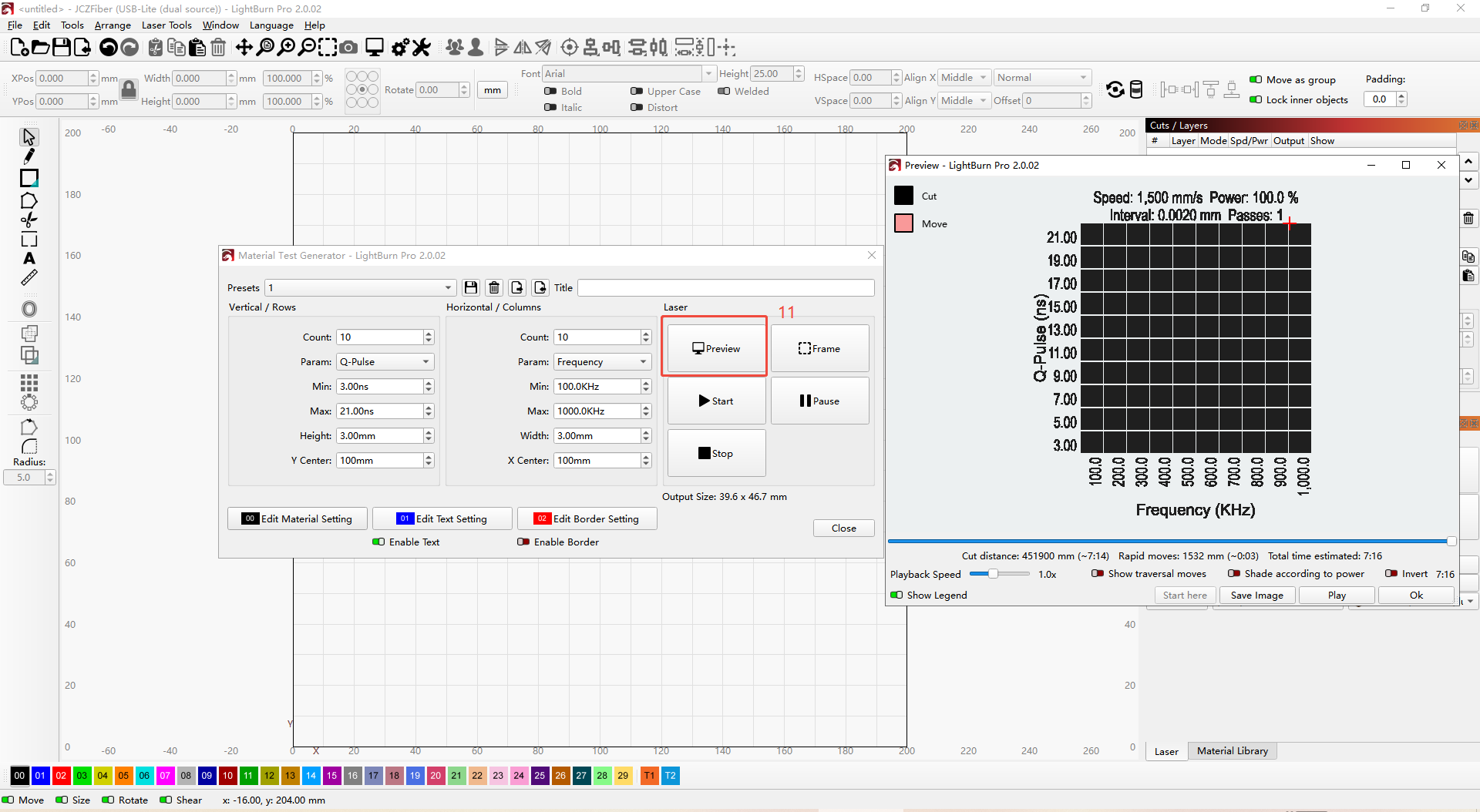
- Observe the actual processing results and read the parameters.

- Open the software and set the corresponding layer parameters.
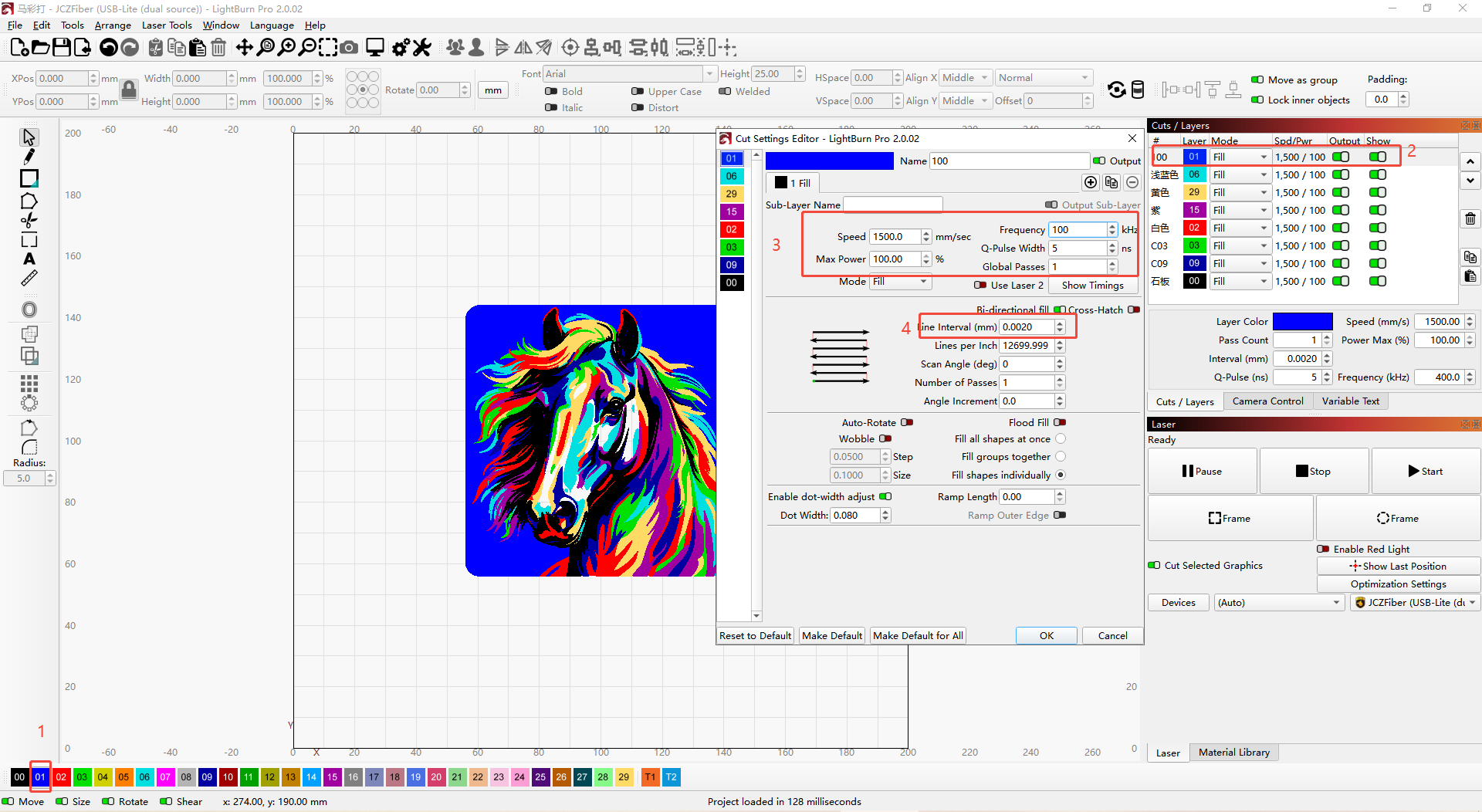
Note: Saving individual settings can speed up the color engraving configuration process, but for high-precision requirements, fine adjustments may be necessary based on actual conditions.
¶ Important Notes
1. Processing Scope
This tutorial is specifically for color engraving on 304 stainless steel using a MOPA infrared laser. This method can also be applied to explore color marking on other metals such as brass and titanium.
2. Key Processing Factors
Even with the same parameter settings, color inconsistencies may occur due to material variations, environmental humidity, or temperature fluctuations. This will affect the composition and thickness of the oxide layer.
3. Exploring More Colors
In color engraving on 304 stainless steel, color consistency is highly sensitive to factors such as equipment performance, environmental temperature, humidity fluctuations, and material surface conditions.
To achieve better color results, the following are the rules for MOPA laser color engraving on 304 stainless steel, as well as parameter adjustment guidelines when actual results deviate from the target color.
3. Color Spectrum Rules
As laser energy increases, the color changes in the following order:

Light Yellow → Yellow → Orange → Pink → Purple → Blue-Purple → Blue → Cyan → Green → Brown → Black

Appears black without light Appears colored under light
X-axis: Frequency X-axis: Frequency
Y-axis: Pulse Width Y-axis: Pulse Width
Power:
● A gradient change of 0.5% in power can produce a shift in color tone. (As power increases, energy increases, and the color changes accordingly, see Figure 1.)
1. Speed:
Each increment of 100 mm/s in speed can change one color tone. (As speed decreases, energy increases, and the color changes accordingly, see Figure 2.)
2. Frequency:
Above 500 kHz, a change of 100–200 kHz can shift one color tone; below 500 kHz, special dark colors may appear (black without light, colored under light, see Figure 2).
3. Pulse Width:
Recommended < 20 ns for visible colors (to achieve visible color effects, a pulse width below 20 ns is recommended).
20 ns has minimal effect on color (pulse widths greater than 20 ns have little effect on color generation and are typically used for non-color applications).
¶ Rules for Different Material Effects
Different surface treatments of materials affect light reflection on stainless steel. Even with the same parameters, the color engraving results may vary.
Types of surface finishes for 304 stainless steel:
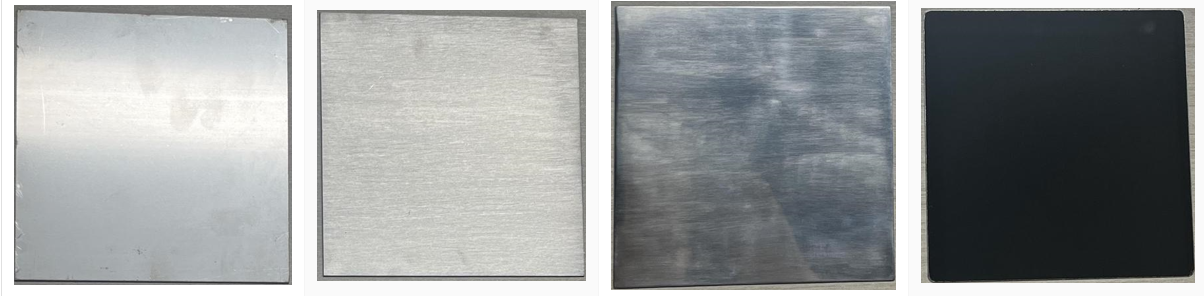
Standard Surface Brushed Surface Polished Surface Mirror Surface
Color engraving results on different 304 stainless steel surfaces:
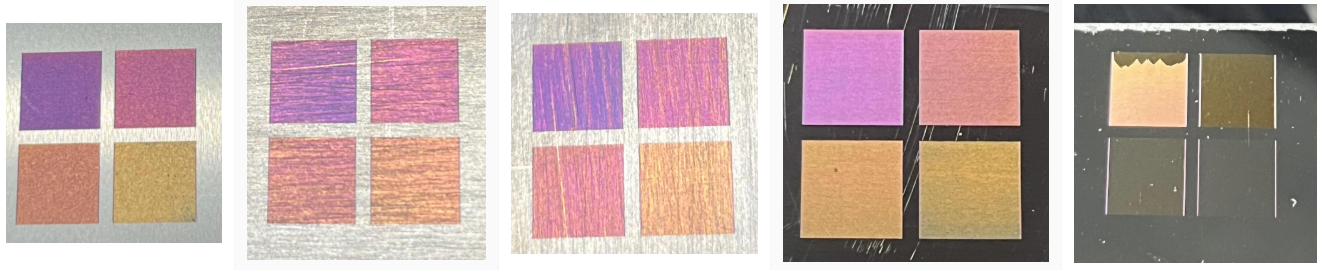
Standard Surface Brushed Surface Polished Surface Mirror Surface